
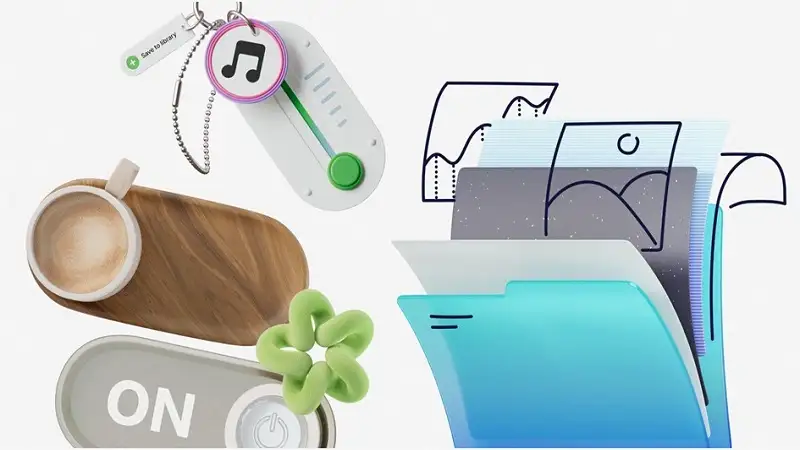
Designers usually face a brutal choice regarding visual assets: burn the budget on a custom illustrator or cobble together a disjointed identity using stock vectors.
You know the look. A flat vector here, a 3D render there, and a sketch-style icon buried in the footer. It screams “ransom note.” It looks cheap because it lacks continuity.
Digital product managers must ask if off-the-shelf libraries can support a real brand system. Ouch, the illustration arm of Icons8, tackles this problem. They don’t just offer images; they offer “styles.” With over 101 distinct aesthetics covering the entire UX flow-from onboarding to 404 errors-it challenges the assumption that startups and agencies need custom work to look professional.
The Architecture of Consistency
Most stock sites fail on depth. You might find a perfect hero image, but when you need a matching icon for a “password reset” screen, you hit a dead end. The artist didn’t make one.
Ouch prioritizes style packs. Pick “Surrealism,” “Simple Line,” or one of the 44 available 3D styles, and you get a library designed to cover standard user experience requirements within that specific look.
Technical flexibility matters here too. PNGs work for quick mockups (free with attribution), but the real utility sits behind the paywall: SVGs for vector work and standard 3D formats like FBX. Interaction designers get Lottie JSON, Rive, and editable After Effects projects. Motion becomes possible without rebuilding assets from scratch.
Scenario 1: The SaaS Product Launch
Startups feel the “stock vs. custom” tension most during the initial UI build. You need empty states, success messages, login screens, and feature highlights.
A UI designer selects a style matching the product’s voice-perhaps a minimal monochrome look for a fintech app or a colorful 3D set for a creative tool. Since the library categorizes assets by UX function, pulling a consistent set for the user journey takes minutes.
Professional-grade vectors mean the workflow doesn’t stop at downloading. Designers open source SVGs in Illustrator or Figma to strip out background elements or rearrange compositions. A horizontal desktop card becomes a vertical mobile layout with a few clicks.
Even better, Ouch integrates with Mega Creator. This online editor lets you swap parts and recolor assets before export. Change a generic “Check Email” illustration to match the exact hex codes of your brand. The “stock” feel vanishes.
Scenario 2: High-Volume Content Marketing
Marketing teams run on speed. A content manager handling a blog and newsletter needs fresh visuals daily. Custom illustration takes too long. Reusing the same three assets gets boring fast.
Volume becomes the primary asset here. With 28,000+ business illustrations and 23,000+ technology illustrations, a social media manager can stick to one trendy style for Instagram grid consistency while covering topics from “remote work” to “Q4 analytics.”
Search functionality drives this workflow. Unlike platforms that only index file names, Ouch tags individual objects. Don’t search for “office scene.” Search for “laptop,” “coffee,” or “plant.” You find scenes containing those specific elements. For higher engagement, grab the animated formats (GIF or MOV) to add motion to a newsletter header. No motion designer required.
A Designer’s Workflow: Building a Landing Page
Let’s look at a practical example. A designer needs to build a landing page for an educational platform under a tight deadline.
- Style Selection: Filter the “Education” category by “3D.” “Business 3D” has a soft lighting setup that fits the brief.
- Asset Gathering: The page needs a hero image, three feature graphics, and a footer. Don’t grab the first result. Browse the specific style pack. Character models and lighting must remain identical across all five images.
- Customization: The hero character holds a tablet, but the composition is too wide. Open the integrated Illustration Generator. Drag the character closer to the text area. Delete the floating background element distracting from the CTA button.
- Final Polish: The client’s brand uses a specific teal. Use the recoloring tool to shift blue accents in the 3D render to that exact teal.
- Export: Drop high-res transparent PNGs directly into the web build.
The result looks like a commissioned 3D artist did the work. It took less than an hour.
Comparison: Ouch vs. The Field
Stock illustration markets are crowded. Distinctions become clear when you look at utility.
Ouch vs. Freepik: Freepik is the volume king, but it aggregates thousands of different artists. Finding five illustrations that look like they belong to the same brand family is a scavenger hunt. Ouch offers less total volume but significantly higher consistency within its packs.
Ouch vs. Undraw: Undraw is the open-source darling. Free and consistent, but ubiquitous. Everyone uses it, so your site looks like a template. Ouch offers 101+ styles. Mimicking a competitor becomes much harder.
Ouch vs. Custom: Custom work remains the only way to get exact visual metaphors (e.g., “our specific CEO riding a rocket”). But for 90% of standard UI and marketing needs, Ouch gets you 80% of the way there for a fraction of the cost.
Limitations and When to Look Elsewhere
Ouch bridges the gap well, but it isn’t magic.
Complex Narrative Metaphors: If your brand relies on highly specific concepts-like a giraffe playing chess to represent “strategic oversight”-you won’t find it here. Combining objects can approximate it, but complex scenes still require a human illustrator.
Print-on-Demand: Selling t-shirts or mugs? Licensing gets complicated. You generally need to contact the team for merchandise licensing. Sites offering blanket commercial licenses for physical goods might serve you better here.
Enterprise Exclusivity: Competitors could technically use the same style. We are long past the era of generic clip art that degrades a brand, but large enterprises requiring total visual ownership must still buy out rights or hire in-house.
Practical Tips for Power Users
Use the Pichon App: Icons8 offers a desktop app called Pichon. It houses all Ouch illustrations, icons, and photos. Drag and drop vectors directly into Photoshop, Illustrator, or Figma. No downloading, unzipping, or importing required.
Mix, Don’t Match: A common mistake involves using a “flat” style for icons and a “3D” style for hero images. Stick to one visual language. If you choose 3D, use it for everything or use it for nothing.
Leverage “Objects” Search: Don’t limit yourself to pre-made scenes. Need a specific composition? Search for individual components (e.g., “hand,” “phone,” “credit card”) within a style and assemble them yourself. Vector grouping in Ouch files is usually clean enough to make this easy.
Check Animation Support: Before committing to a style for a project requiring motion, check the filters. Not every style includes Lottie or After Effects support.
Ouch answers the central question of brand consistency. By organizing around rigorous style guides rather than loose keywords, teams can simulate a design system without the overhead of a dedicated illustration department.